Tag: WhatsApp Business API

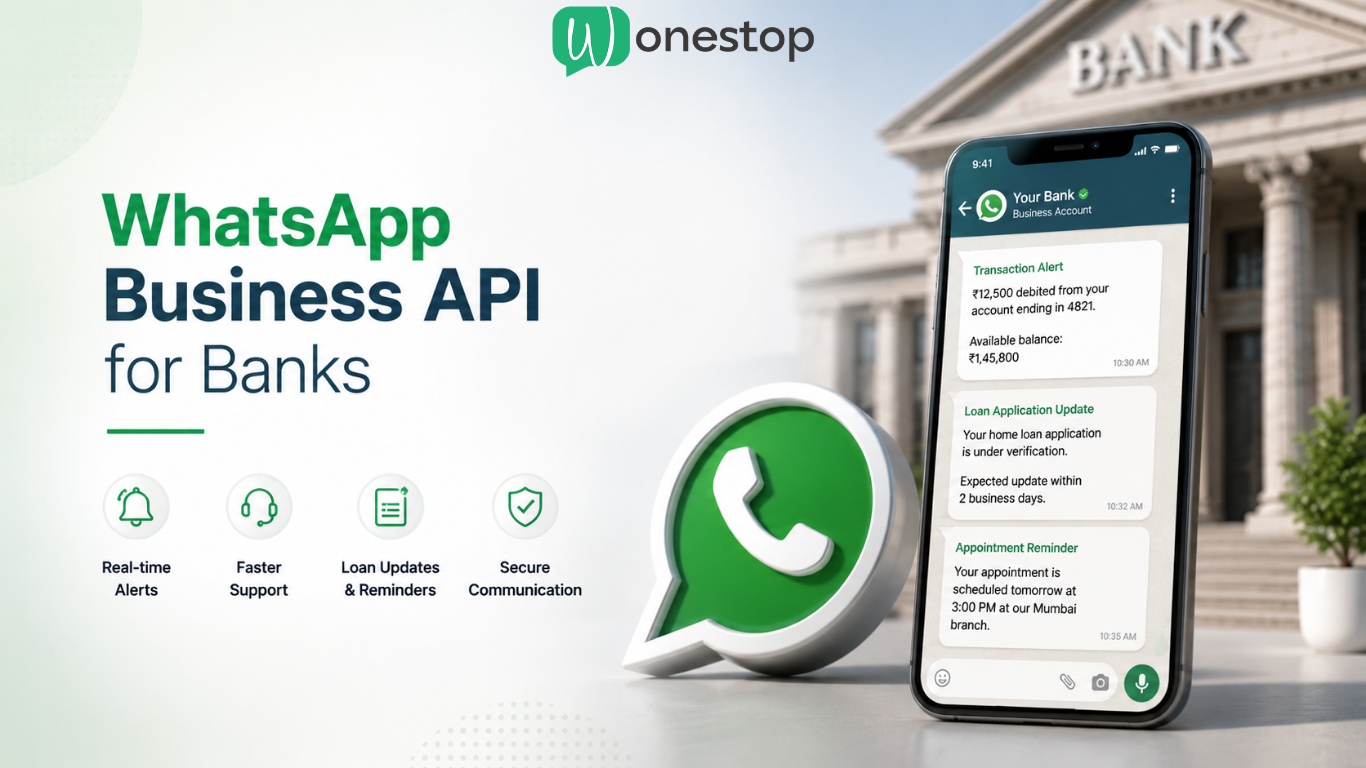
  • WhatsApp Business API for Bank: Improve Customer Communication, Support and  Customer Experience

    WhatsApp Business API for Bank: Improve Customer Communication, Support and Customer Experience

    Customers today expect faster, simpler, and more convenient communication from their banks.

    They no longer want to wait on calls, visit branches for simple updates, or search through emails for important information. Whether it’s checking a loan application status, receiving a transaction alert, or resolving an account issue, customers expect quick and reliable communication.

    Traditional channels such as phone calls, SMS, and email still matter. However, customer behavior has changed. People now prefer communication that is instant, accessible, and available on platforms they already use every day.

    This is where WhatsApp is becoming an important communication channel for banks.

    From transaction alerts and customer support to loan updates and appointment reminders, WhatsApp helps financial institutions communicate faster while improving the overall customer experience.

    How Banks Can Use WhatsApp at a Glance

    Banks can use WhatsApp to:

    • Send transaction and account alerts instantly
    • Share loan and credit card application updates
    • Provide faster customer support without long wait times
    • Send OTP and verification messages
    • Reduce missed appointments and branch visits
    • Share personalized financial updates and reminders
    • Keep customers informed throughout important banking processes

    The goal is simple:

    Help customers get the information they need without unnecessary delays.

    Why Does Banking Customer Communication Need to Change?

    Banking has changed significantly in the last few years.

    Customers now expect the same level of speed and convenience from banks that they experience with other digital services.

    At the same time, banks are managing a growing number of customer enquiries related to:

    • Loan applications
    • Credit card requests
    • Account-related issues
    • KYC verification
    • Transaction concerns
    • Branch appointments

    One of the biggest challenges banks face today is not attracting customer enquiries — it is responding quickly enough.

    When customers do not receive updates on time, uncertainty increases. In many cases, customers begin exploring alternative providers simply because communication feels slow or unclear.

    Messaging platforms such as WhatsApp help reduce this communication gap by keeping customers informed throughout the process.

    Why Fast Communication Matters in Banking

    One of the most common reasons customers become frustrated during financial journeys is delayed communication.

    For example, a customer applying for a home loan may wait several days without any update. Even if the application is progressing internally, the absence of communication creates uncertainty.

    Similarly, delayed responses to credit card applications, transaction disputes, or service requests often lead to repeated support calls and customer dissatisfaction.

    Keeping customers informed at every stage creates a smoother experience and reduces unnecessary support pressure.

    What is the WhatsApp Business API for Banks?

    The WhatsApp Business API is an enterprise-grade communication solution that allows banks and financial institutions to interact with customers securely and at scale.

    Unlike a standard WhatsApp Business account, it enables banks to:

    • Send automated notifications
    • Share account and transaction updates
    • Automate customer support interactions
    • Send OTP and verification messages
    • Share loan application progress
    • Improve customer engagement through structured communication

    More importantly, it allows banks to communicate quickly while maintaining professional and secure customer interactions.

    How Can Banks Use WhatsApp for Customer Support?

    Customer support is one of the strongest use cases for WhatsApp in banking.

    Many banking queries are repetitive and time-sensitive.

    Customers frequently ask:

    • What is my loan application status?
    • Has my KYC been approved?
    • What documents are needed for a home loan?
    • When will my credit card arrive?
    • Where is my nearest branch?

    Instead of waiting on support calls, customers can receive immediate responses for common requests.

    Example Conversation

    Customer:
    “What is my loan application status?”

    Bank Response:
    “Your loan application is currently under verification. You can expect an update within 2 business days.”

    Another example:

    Customer:
    “What documents are needed for a home loan?”

    Bank Response:
    “You’ll need ID proof, address proof, income documents, bank statements, and property-related documents. A banking advisor will contact you shortly.”

    This reduces repeated customer enquiries and allows support teams to focus on more complex cases.

    How Can Banks Send Real-Time Alerts Through WhatsApp?

    Customers want immediate visibility into financial activity.

    Banks can use WhatsApp to send:

    • Debit and credit alerts
    • Account balance notifications
    • EMI reminders
    • Credit card payment reminders
    • Fraud alerts
    • Service request updates
    • Fixed deposit maturity reminders

    For example:

    ₹18,500 was debited from your account ending in 4821. If you did not authorize this transaction, please contact support immediately.

    Real-time notifications help customers stay informed and identify suspicious activity faster.

    They also reduce the need for customers to repeatedly log into apps or contact support for updates.

    How Can Banks Improve Loan and Credit Card Follow-Ups?

    Loan and credit card applications often involve multiple stages.

    One of the biggest frustrations customers experience is not knowing what happens after they submit an enquiry.

    Banks can automate communication throughout the process.

    For example, after a customer submits a loan enquiry, banks can automatically:

    • Confirm application submission
    • Share document requirements
    • Notify customers about missing information
    • Provide status updates
    • Schedule advisor follow-ups

    Example Update

    Thank you for applying for a home loan. Your application has been received. A relationship manager will contact you within 24 hours.

    Simple updates like this reduce uncertainty and help customers stay engaged during the process.

    Can WhatsApp Help Reduce Branch Visits?

    In many cases, yes.

    Customers often visit branches for updates that could have been communicated digitally.

    Banks can send reminders for:

    • Loan consultations
    • Wealth management meetings
    • KYC verification appointments
    • Document submissions

    For example:

    Reminder: Your loan consultation is scheduled tomorrow at 2:30 PM at our Mumbai branch.

    Appointment reminders help reduce missed visits and improve branch planning.

    What Security and Compliance Considerations Should Banks Keep in Mind?

    Security is critical in banking.

    Messaging should never compromise customer privacy or regulatory compliance.

    When implementing WhatsApp communication, banks should focus on:

    • Customer consent management
    • Secure communication workflows
    • Data privacy standards
    • Verified business accounts
    • Internal compliance requirements
    • Escalation systems for sensitive issues

    The safest approach is using the official WhatsApp Business API, which offers structured communication and enterprise-level control for customer interactions.

    Sensitive customer information should always be handled according to internal banking and regulatory policies.

    What Are the Business Benefits for Banks?

    Better communication creates operational benefits as well.

    When customers receive timely updates:

    • Support teams spend less time handling repetitive queries
    • Customers feel more informed during financial processes
    • Loan and credit card enquiries remain active longer
    • Missed appointments become easier to manage
    • Customers receive updates without unnecessary branch visits

    For banks, this means smoother customer journeys and more efficient operations.

    Frequently Asked Questions

    1. Can banks legally use WhatsApp to communicate with customers?

    Yes. Banks can use WhatsApp to communicate with customers, provided they follow applicable regulations, obtain customer consent where required, and implement appropriate security measures.

    2. Is WhatsApp secure enough for banking communication?

    WhatsApp can be used for transaction alerts, reminders, verification messages, and customer support interactions. However, banks should use the official WhatsApp Business API and follow internal security and compliance standards when handling customer information.

    3. Can banks send OTPs through WhatsApp?

    Yes. Banks can send OTP and verification-related messages through approved communication systems using secure business messaging infrastructure.

    4. Can WhatsApp replace customer support calls?

    Not entirely. Messaging works well for common enquiries, updates, and reminders. More complex or sensitive banking issues may still require human support or phone assistance.

    5. What banking services can be supported through WhatsApp?

    Banks can use WhatsApp for transaction alerts, loan updates, appointment reminders, KYC communication, OTP verification, account notifications, and customer support.

    Transform Banking Communication with Wonestop

    Customer expectations are changing, and communication speed matters more than ever.

    Whether your bank is looking to improve customer support, automate loan updates, send transaction alerts, or reduce delays in customer communication, WhatsApp can help create a faster and more convenient experience.

    Wonestop helps banks and financial institutions implement secure, scalable WhatsApp communication using the official WhatsApp Business API.
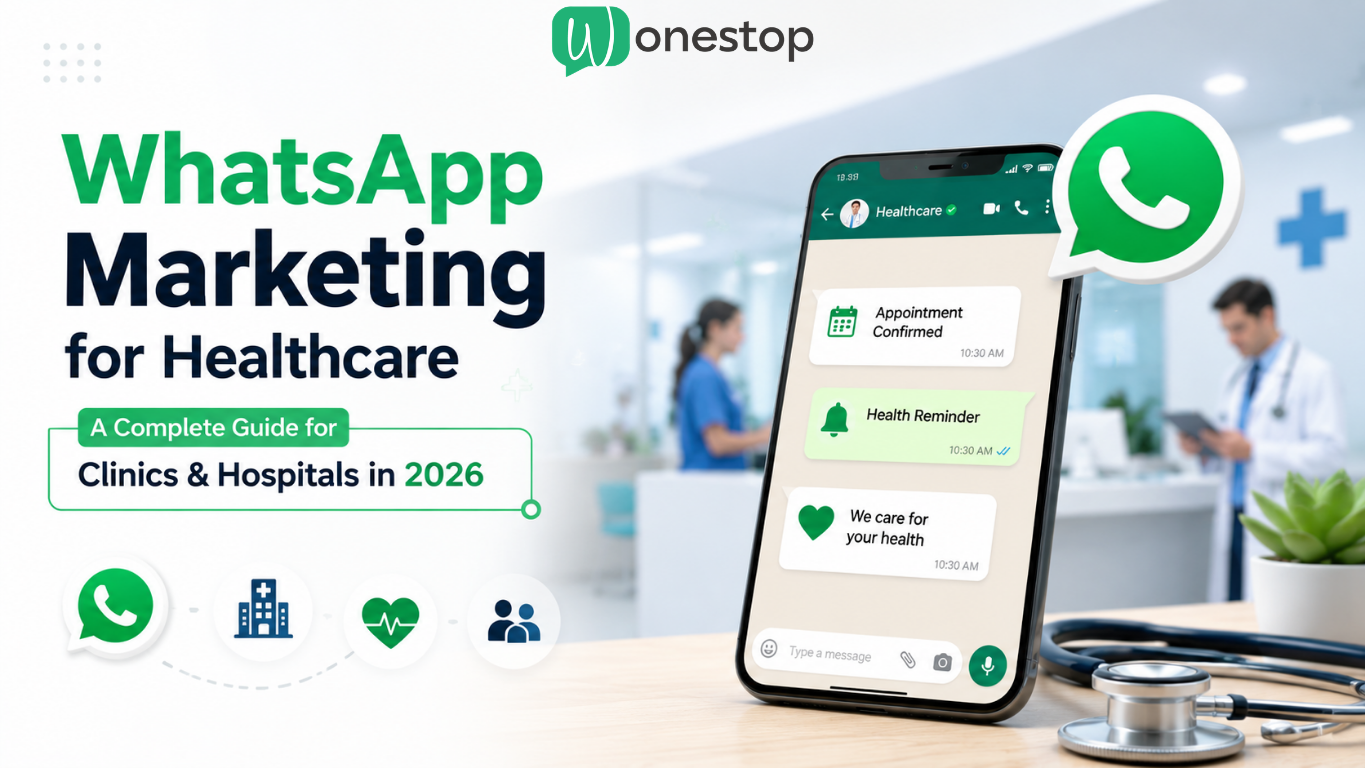
  • WhatsApp Marketing for Healthcare: A Complete Guide for Clinics and Hospitals in 2026

    WhatsApp Marketing for Healthcare: A Complete Guide for Clinics and Hospitals in 2026

    A missed appointment doesn’t just affect clinic schedules; it affects patient care, staff efficiency, and overall patient experience.

    Today, clinics and hospitals face several communication challenges:

    • missed appointments
    • delayed follow-ups
    • overloaded reception teams
    • unanswered patient inquiries
    • long waiting times

    At the same time, patient expectations are changing.

    Patients want:

    • instant appointment confirmations
    • faster responses
    • easy communication
    • quick updates
    • digital convenience

    This is why WhatsApp marketing for healthcare is becoming one of the most effective patient communication channels in 2026.

    Using the official WhatsApp Business API for healthcare, clinics, and hospitals can automate reminders, improve patient engagement, streamline support communication, and reduce operational workload.

    From appointment reminders to patient follow-ups, healthcare providers are now using WhatsApp to create faster, more organized, and more efficient communication systems.

    In this guide, we’ll explain how healthcare businesses can use WhatsApp marketing to improve patient engagement and operational efficiency in 2026.

    Table of Contents

    1. What Is WhatsApp Marketing for Healthcare?
    2. Why Clinics & Hospitals Are Using WhatsApp
    3. Benefits of WhatsApp Business API for Healthcare
    4. Example Patient Journey Using WhatsApp
    5. How WhatsApp Improves Patient Engagement
    6. Real Healthcare Use Cases
    7. WhatsApp Business API vs Regular WhatsApp Business
    8. Operational Benefits for Healthcare Providers
    9. Best Practices for Healthcare WhatsApp Marketing
    10. Common Mistakes to Avoid
    11. Why Healthcare Businesses Choose Wonestop
    12. FAQs
    13. Final Thoughts

    What Is WhatsApp Marketing for Healthcare?

    WhatsApp marketing for healthcare means using WhatsApp to improve communication between healthcare providers and patients.

    Healthcare businesses use WhatsApp for:

    • appointment reminders
    • patient follow-ups
    • consultation bookings
    • prescription reminders
    • lab report notifications
    • patient support
    • wellness campaigns
    • vaccination reminders

    Instead of relying only on phone calls and emails, healthcare providers can communicate with patients through a faster and more convenient channel.

    Since most patients already use WhatsApp daily, communication becomes easier, more accessible, and more responsive.

    Why Clinics & Hospitals Are Using WhatsApp

    Traditional communication methods often create delays and inefficiencies in healthcare operations.

    Common challenges include:

    • missed patient calls
    • unread emails
    • delayed follow-ups
    • high front desk workload
    • scheduling confusion

    This directly impacts:

    • patient experience
    • operational efficiency
    • appointment attendance
    • patient satisfaction

    WhatsApp simplifies communication by allowing patients to:

    • confirm appointments
    • receive reminders
    • ask questions
    • receive updates instantly

    This is why more healthcare providers are adopting WhatsApp Business API for healthcare to improve communication workflows.

    Benefits of WhatsApp Business API for Healthcare

    The official WhatsApp Business API for healthcare helps clinics and hospitals automate and scale patient communication.

    Key benefits include:

    Faster Patient Communication

    Patients receive messages instantly, improving communication speed and responsiveness.

    Reduced Missed Appointments

    Automated reminders help reduce no-shows and improve scheduling efficiency.

    Better Patient Engagement

    Regular follow-ups and reminders help healthcare providers maintain long-term patient relationships

    Reduced Front Desk Workload

    Automation reduces repetitive communication tasks for support and reception teams.

    Improved Operational Efficiency

    Healthcare providers can streamline appointment management, patient support, and communication workflows.

    Example Patient Journey Using WhatsApp

    Appointment Booked


    Instant confirmation message

    24-Hour Reminder


    Appointment reminder and confirmation

    Post Consultation Follow-Up


    Recovery guidance or medicine reminder

    Feedback Collection


    Patient satisfaction feedback request

    Re-engagement Reminder


    Annual check-up or revisit reminder

    This type of automated workflow helps healthcare providers create a smoother and more connected patient experience.

    How WhatsApp Improves Patient Engagement

    1. Appointment Reminder Automation

    One of the biggest healthcare communication challenges is missed appointments.

    Patients often forget consultation timings.

    Instead of manually calling patients, clinics can automate reminders using WhatsApp Business API for healthcare.

    Example Message

    “Hi Sarah, this is a reminder for your appointment tomorrow at 4:00 PM with Dr. Smith.”

    This helps:

    • reduce no-shows
    • improve scheduling efficiency
    • Save staff time

    2. Patient Follow-Ups

    Patient communication should continue even after consultation.

    Healthcare providers can send:

    • medicine reminders
    • recovery instructions
    • follow-up appointment reminders
    • treatment guidance

    Example

    “We hope you’re recovering well. Don’t forget your follow-up appointment this Friday.”

    This improves:

    • patient trust
    • retention
    • treatment adherence

    3. Lab Report Notifications

    Patients frequently contact clinics asking whether reports are ready.

    WhatsApp simplifies this communication.

    Example

    “Your blood test report is now available. Please visit the clinic or access your patient portal.”

    This reduces:

    • Repeated phone calls
    • front desk workload
    • patient frustration

    4. Instant Patient Support

    Patients often ask about:

    • doctor availability
    • clinic timings
    • appointment slots
    • consultation charges
    • clinic locations

    Instead of long phone calls, WhatsApp enables faster support communication.

    5. Health Awareness Campaigns

    Healthcare providers can also use WhatsApp for awareness campaigns.

    Examples include:

    • vaccination reminders
    • preventive healthcare tips
    • wellness campaigns
    • seasonal healthcare alerts

    Example

    “Flu season is here. Book your vaccination appointment today.”

    This helps healthcare businesses maintain patient engagement beyond appointments.

    Real Healthcare Use Cases

    Clinics

    • appointment reminders
    • follow-up communication
    • patient support workflows

    Hospitals

    • patient communication
    • OPD updates
    • scheduling notifications

    Dental Clinics

    • cleaning reminders
    • treatment follow-ups
    • consultation scheduling

    Diagnostic Centers

    • test reminders
    • report notifications
    • appointment confirmations

    Cosmetic Clinics

    • consultation reminders
    • treatment follow-ups
    • patient engagement campaigns

    WhatsApp Business API vs Regular WhatsApp Business

    FeatureRegular WhatsApp BusinessWhatsApp Business API
    Appointment RemindersManualAutomated
    Patient Follow-UpsManualAutomated
    Multi-User AccessLimitedYes
    CRM IntegrationNoYes
    AutomationBasicAdvanced
    ScalabilityLowHigh
    Workflow ManagementLimitedAdvanced

    For growing healthcare providers, the WhatsApp Business API for healthcare offers significantly better scalability and automation.

    Read More: WhatsApp Marketing vs Email Marketing: What Works Better for Businesses?

    Operational Benefits for Healthcare Providers

    Healthcare providers use WhatsApp automation to improve operational efficiency by:

    • reducing front desk workload
    • minimizing missed appointments
    • improving patient response rates
    • streamlining appointment scheduling
    • centralizing patient communication
    • improving support team productivity

    This helps clinics and hospitals create more organized communication systems while improving patient experience.

    Best Practices for Healthcare WhatsApp Marketing

    Keep Messages Short

    Patients prefer clear and concise communication.

    Avoid overly long messages.

    Personalize Communication

    Use patient names and appointment details whenever possible.

    Personalized communication improves engagement.

    Use Automated Reminders

    Automation helps reduce manual workload and improves appointment attendance.

    Avoid Spam

    Only send relevant healthcare communication.

    Too many promotional messages can reduce trust.

    Respect Patient Privacy

    Healthcare providers should always use secure and consent-based communication while handling patient interactions on WhatsApp.

    Use Opt-In Communication

    Always ensure patients consent to receiving WhatsApp updates and reminders.

    Common Mistakes to Avoid

    Sending Too Many Messages

    Overcommunication can frustrate patients and reduce engagement.

    Delayed Responses

    Slow communication negatively impacts patient experience.

    Ignoring Follow-Ups

    Follow-up communication is essential for patient retention and care continuity.

    Using Unorganized Communication Systems

    Without automation and workflows, patient communication can become inconsistent and difficult to manage.

    Why Healthcare Businesses Choose Wonestop

    Healthcare providers need communication systems that are:

    • fast
    • organized
    • scalable
    • reliable

    Wonestop helps clinics, hospitals, diagnostic centers, and healthcare businesses improve patient communication using the official WhatsApp Business API for healthcare solutions.

    Healthcare providers use Wonestop for:

    • appointment reminder automation
    • patient follow-ups
    • CRM integration
    • smart communication workflows
    • multi-agent support
    • patient engagement systems

    Whether you run:

    • a clinic
    • hospital
    • dental practice
    • diagnostic center
    • cosmetic clinic

    Wonestop helps streamline patient communication through WhatsApp automation.

    FAQs

    Is WhatsApp marketing effective for healthcare?

    Yes. WhatsApp helps improve patient communication, engagement, appointment attendance, and operational efficiency.

    Can clinics automate appointment reminders?

    Yes. Clinics can automate reminders using WhatsApp Business API solutions.

    Is WhatsApp useful for hospitals?

    Absolutely. Hospitals use WhatsApp for patient communication, appointment reminders, support workflows, and OPD updates.

    Can WhatsApp improve patient engagement?

    Yes. Faster communication improves patient experience, retention, and engagement.

    Is WhatsApp Business API better than regular WhatsApp Business?

    Yes. WhatsApp Business API offers automation, CRM integration, scalability, and multi-agent access for growing healthcare providers.

    Automate Patient Communication With WhatsApp?

    Whether you run a clinic, hospital, diagnostic center, or healthcare practice, better communication can improve patient experience and reduce missed appointments.

    Wonestop helps healthcare providers automate:

    • appointment reminders
    • patient follow-ups
    • support communication
    • engagement workflows

    using official WhatsApp Business API solutions.

    Talk to Wonestop today and create a smarter patient communication system.

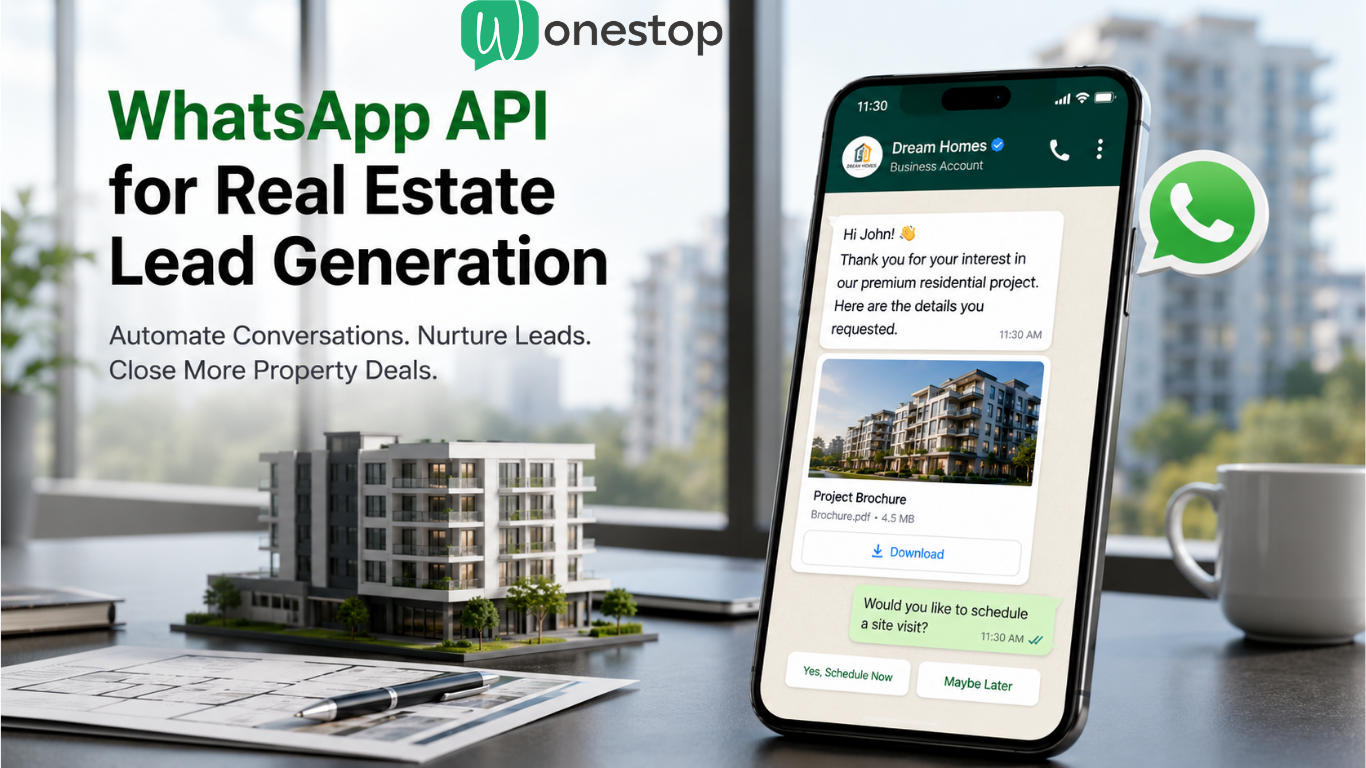
  • WhatsApp API for Real Estate Lead Generation: Complete Guide for Builders and Agents

    WhatsApp API for Real Estate Lead Generation: Complete Guide for Builders and Agents

    Real estate businesses spend thousands of dollars every month on Meta Ads, Google Ads, property portals, landing pages, and digital campaigns to generate inquiries.

    But here’s the truth:

    Getting leads is easy. Converting them is hard.

    Most builders, developers, brokers, and real estate agencies lose potential customers because of:

    • Delayed responses
    • Missed follow-ups
    • Poor lead nurturing
    • Unorganized sales communication
    • Slow site visit scheduling

    In real estate, timing matters.

    If a buyer submits an inquiry and doesn’t receive an instant response, chances are they’ll speak to another developer before your sales team even makes the first call.

    That’s where WhatsApp Business API for real estate lead generation becomes a game-changer.

    With an official WhatsApp Business API solution, real estate businesses can automate conversations, instantly engage inquiries, schedule site visits, nurture leads, and improve conversions, all on WhatsApp.

    In this guide, we’ll explain how the WhatsApp API helps real estate companies generate better leads, improve follow-ups, and increase property sales.

    Why Real Estate Businesses Lose Leads

    Most real estate companies generate inquiries from:

    • Meta Ads
    • Google Ads
    • Property portals
    • Website inquiries
    • Landing pages
    • Channel partner campaigns
    • Social media marketing

    But what happens after the lead comes in?

    Usually this:

    A buyer fills out a property inquiry form.

    Then:

    ❌ Sales executive responds after several hours
    ❌ Lead already contacted competitors
    ❌ Brochure sharing gets delayed
    ❌ Follow-ups are missed
    ❌ Site visit never happens
    ❌ Lead becomes cold

    This is one of the biggest problems in real estate sales.

    Whether it’s residential apartments, luxury villas, commercial spaces, plotted developments, or pre-launch projects:

    The business that responds first usually wins the lead.

    This is why many real estate businesses are now switching to WhatsApp automation for real estate lead generation.

    What Is WhatsApp Business API for Real Estate?

    WhatsApp Business API is an advanced communication solution that helps real estate companies automate conversations and manage leads at scale.

    Unlike normal WhatsApp Business, an official WhatsApp Business API platform allows businesses to:

    ✅ Send instant responses
    ✅ Share brochures automatically
    ✅ Schedule site visits
    ✅ Automate lead nurturing
    ✅ Route leads to sales teams
    ✅ Integrate with CRM systems
    ✅ Run WhatsApp campaigns
    ✅ Manage large inquiry volumes

    This helps builders, brokers, developers, and property consultants handle customer inquiries faster and more professionally.

    How WhatsApp API Helps Real Estate Lead Generation

    1. Instant Lead Response

    In real estate:

    Speed = conversions

    Imagine someone clicks your ad and submits an inquiry.

    Instead of waiting for a callback, the customer instantly receives:

    “Hi John, thank you for your interest in our premium residential project. Here’s the brochure, floor plan, pricing, and project details.”

    Within seconds.

    This instantly improves:

    • customer trust
    • engagement
    • response rate
    • conversion probability

    Example Workflow

    Meta Ad → Inquiry Form → Instant WhatsApp Message → Brochure Shared → Sales Assigned → Site Visit Scheduled

    Simple.

    But extremely effective.

    2. Automated Property Brochure Sharing

    One of the most repetitive tasks for sales teams is sending:

    • brochures
    • pricing sheets
    • floor plans
    • amenities list
    • master plans
    • location maps
    • possession details

    Doing this manually wastes time.

    With WhatsApp API automation for real estate, businesses can instantly send project information without manual effort.

    Benefits

    ✔ Faster communication
    ✔ Better customer experience
    ✔ Reduced response delays
    ✔ More professional sales process

    3. Site Visit Booking Automation

    The biggest goal of most property campaigns is:

    Getting the customer to visit the site.

    WhatsApp automation makes this easier.

    Example Workflow

    New inquiry → Auto response → Property details shared → Preferred visit date selected → Confirmation message → Reminder notification

    Customers can quickly book:

    • Site visits
    • Property consultations
    • Sales office meetings
    • Virtual property tours

    Automated reminders also reduce no-shows.

    4. Automated Lead Nurturing on WhatsApp

    Most buyers don’t buy immediately.

    Some decide in:

    • 15 days
    • 30 days
    • 60 days
    • even several months

    Without follow-ups:

    Leads disappear.

    With WhatsApp lead nurturing, real estate companies can stay connected automatically.

    Example Follow-Up Sequence

    Day 1

    Project brochure + pricing

    Day 3

    Amenities & location advantages

    Day 7

    Inventory update

    Day 15

    Special offer or payment plan

    Day 30

    Customer testimonial or project update

    This keeps your project in front of buyers consistently.

    WhatsApp API vs Traditional Real Estate Follow-Ups

    FeatureTraditional Follow-UpWhatsApp API Automation
    Response TimeSlowInstant
    Brochure SharingManualAutomated
    Follow-UpsOften MissedAutomated
    Site Visit SchedulingManual CallsAutomated
    Lead TrackingWeakCentralized
    CRM IntegrationDifficultEasy
    Team CollaborationLimitedMulti-Agent

    For growing real estate businesses:

    Automation is no longer optional.

    It’s becoming necessary.

    How Different Real Estate Businesses Use WhatsApp API

    Builders & Developers

    Launch announcements, project updates, and site visit scheduling.

    Real Estate Brokers

    Instant inquiry handling and lead nurturing.

    Luxury Real Estate Brands

    VIP communication and personalized engagement.

    Commercial Property Consultants

    Handling large inquiry volumes efficiently.

    NRI Property Consultants

    International follow-ups for overseas buyers.

    Channel Partners

    Managing project communication and inventory updates.

    Click-to-WhatsApp Ads for Property Leads

    Many real estate businesses are moving to Click-to-WhatsApp Ads.

    Instead of sending traffic to long forms:

    Ads directly open WhatsApp.

    Why It Works

    ✅ Faster engagement
    ✅ Higher response rate
    ✅ Better lead quality
    ✅ Lower drop-offs
    ✅ Direct conversations

    Especially effective for:

    • Luxury projects
    • Pre-launch campaigns
    • NRI property marketing
    • Commercial real estate

    Why Regular WhatsApp Business Is Not Enough

    Many builders still rely on the normal WhatsApp Business.

    But once inquiry volume increases:

    Problems start.

    Limitations of Regular WhatsApp

    ❌ No advanced automation
    ❌ No CRM integration
    ❌ Limited team access
    ❌ Weak lead tracking
    ❌ No chatbot workflows
    ❌ Hard to scale

    An official WhatsApp Business API provider helps businesses manage customer communication professionally.

    Best Practices for Real Estate WhatsApp Marketing

    Respond instantly

    Fast replies increase conversions.

    Keep messages short

    People don’t read long messages.

    Share brochures quickly

    Reduce waiting time.

    Automate follow-ups

    Don’t rely only on manual sales.

    Use Click-to-WhatsApp Ads

    Start conversations faster.

    Track every lead

    Understand what converts.

    Personalize communication

    Based on buyer interest and budget.

    Why Real Estate Companies Across USA, UAE, UK & Other Markets Are Adopting WhatsApp API

    Real estate businesses in countries like:

    • USA
    • UAE
    • UK
    • Canada
    • Australia
    • Singapore

    are increasingly using WhatsApp Business API for real estate marketing because buyers prefer messaging over calls.

    Customers usually:

    • Check WhatsApp faster
    • Reply quickly
    • Share brochures with family
    • Save pricing & floor plans easily

    This makes WhatsApp one of the strongest channels for property lead nurturing.

    Why Choose Wonestop for Real Estate WhatsApp API?

    At Wonestop, we help real estate businesses automate communication and improve lead conversion using official WhatsApp Business API solutions.

    We help with:

    ✅ WhatsApp Business API setup
    ✅ CRM integration
    ✅ Lead routing automation
    ✅ Site visit workflows
    ✅ Bulk messaging campaigns
    ✅ Multi-agent access
    ✅ Automated follow-ups
    ✅ Real-time customer engagement

    Whether you are a builder, broker, developer, or real estate consultant, Wonestop helps you build a smarter sales process.

    FAQs

    1. Is WhatsApp API good for real estate lead generation?

    Yes. WhatsApp API helps real estate companies automate responses, improve follow-ups, and increase site visit bookings.

    2. Can builders automate property inquiries using WhatsApp?

    Absolutely. Builders can automate brochure sharing, FAQs, site visits, and customer communication.

    3. Is WhatsApp API better than regular WhatsApp Business?

    Yes. WhatsApp Business API supports automation, CRM integration, multi-agent access, and advanced lead nurturing.

    4. Can WhatsApp API integrate with CRM software?

    Yes. Real estate businesses can connect the WhatsApp API with CRM systems to track leads and automate workflows.

    5. Is WhatsApp marketing effective for real estate businesses?

    Very effective. It improves customer engagement, lead nurturing, and conversion rates.

    6. Which is the best WhatsApp API provider for real estate?

    The best provider depends on your automation, CRM, and campaign needs. Businesses looking for scalable automation often prefer official providers that support workflows and lead management.

    Looking to Automate Real Estate Lead Generation on WhatsApp?

    If your real estate business is generating leads but struggling with delayed follow-ups and missed conversions, it’s time to automate.

    Wonestop helps builders, developers, brokers, and agencies set up official WhatsApp Business API solutions to improve lead response, automate follow-ups, and increase site visit bookings.

    Talk to Wonestop today and turn more property inquiries into real sales.

  • WhatsApp Broadcast vs. WhatsApp Group: Which One Should Your Business Really Use?

    WhatsApp Broadcast vs. WhatsApp Group: Which One Should Your Business Really Use?

    Let’s start with something real.

    Think about the last WhatsApp message you actually opened and read carefully.
    Chances are, it was a personal message, not a noisy group notification with 47 unread replies.

    Now pause for a second: That simple habit explains why WhatsApp works so well for business marketing… and also why many businesses fail to use it properly.

    At Wonestop, we often hear:

    “We’re using WhatsApp, but it’s not giving results.”

    Most of the time, the issue isn’t WhatsApp.
    It’s choosing the wrong way to communicate, Broadcast or Group, without understanding the difference.

    Let’s clear that confusion once and for all.

    Why WhatsApp Has Become a Business Essential

    WhatsApp feels personal.
    It’s where customers talk to family, friends, and close contacts, so when a business shows up there, it needs to be careful.

    Used correctly, WhatsApp helps you:

    • Reach customers instantly
    • Build trust faster than emails or ads
    • Get quick responses
    • Increase repeat sales

    Used incorrectly, it gets muted… or worse, blocked.

    That’s why choosing between WhatsApp Broadcast and WhatsApp Group is not a small decision; it directly impacts your brand image.

    What Is WhatsApp Broadcast?

    A WhatsApp Broadcast allows you to send the same message to multiple people individually.

    Each customer receives your message as a private chat, just like a normal WhatsApp message.
    They don’t see other recipients. They don’t get distracted by replies from others.

    Example:

    A salon sends:

    “Hi, we have a weekend offer: 20% off on all services. Would you like to book?”

    It feels personal. Direct. Respectful.

    Why WhatsApp Broadcast Works So Well for Business Marketing

    1. Customers Don’t Feel Disturbed

    Broadcast messages deliver your update clearly, without interruptions from unrelated messages. Customers read what matters and respond when interested.

    2. Your Message Actually Gets Noticed

    Unlike group messages that get buried, broadcast messages sit clearly in the chat list, making them harder to ignore.

    3. Perfect for Promotions and Updates

    Broadcasts are ideal for:

    • Offers and discounts
    • New product launches
    • Order updates
    • Appointment reminders
    • Important announcements

    4. You Stay in Full Control

    Only you send messages. Conversations stay clean and professional.

    This is exactly why many sales-driven businesses prefer WhatsApp Broadcast over groups.

    The Honest Limitations of WhatsApp Broadcast

    To keep things real, here are a few things businesses should know:

    • Customers must save your number to receive messages
    • There are contact limits on normal WhatsApp
    • Automation is limited without advanced tools

    That’s why growing businesses often move to WhatsApp Business API, something Wonestop helps set up properly.

    What Is a WhatsApp Group?

    A WhatsApp Group is a shared space where everyone can talk to everyone.

    Messages are visible to all members, and conversations flow freely.

    This can be powerful, but only in the right context.

    When WhatsApp Groups Actually Make Sense

    Group work is best when your goal is interaction, not selling.

    They’re useful for:

    • Coaching or training batches
    • Customer communities
    • Paid membership groups
    • Internal teams
    • Support or discussion forums

    In these cases, people expect messages from others, and that makes all the difference.

    Why WhatsApp Groups Can Be Risky for Marketing

    Here’s where many businesses struggle.

    1. Too Much Noise

    One message turns into ten replies, and suddenly your important update disappears.

    2. Privacy Issues

    Customers can see each other’s phone numbers, which many people are uncomfortable with.

    3. Less Brand Control

    Off-topic discussions, spam, or negative comments can affect how your brand is perceived.

    Because of this, groups are often muted or exited when used purely for promotions.

    WhatsApp Broadcast vs. WhatsApp Group: The Real Difference

    AspectWhatsApp BroadcastWhatsApp Group
    CommunicationOne-wayTwo-way
    PrivacyHighLimited
    Message ClutterNoneHigh
    Best UsePromotions & updatesEngagement & discussion
    ControlFullShared

    Which One Is Better for Your Business?

    Choose WhatsApp Broadcast If:

    • You want to send offers or updates
    • Your goal is sales and conversions
    • You want clean, professional communication
    • You care about customer privacy

    Choose WhatsApp Group If:

    • You want community engagement
    • You offer courses, coaching, or memberships
    • You’re ready to manage conversations actively

    The Smartest Businesses Don’t Choose Just One

    Here’s what we recommend at Wonestop:

    • Use WhatsApp Broadcast for announcements, promotions, and reminders
    • Use WhatsApp Groups for loyal customers, learning communities, or feedback

    This balance keeps customers informed without overwhelming them.

    A Simple Real-World Scenario

    Retail Business

    • Sends offers via broadcast
    • Customers reply privately
    • Clean and effective communication

    Training Institute

    • Uses groups for batch discussions
    • Uses broadcast for important announcements

    Both tools. Different purposes. Better results.

    Why Businesses Trust Wonestop for WhatsApp Marketing

    We don’t believe in spamming customers.

    At Wonestop, we help businesses:

    • Choose the right WhatsApp strategy
    • Set up WhatsApp Business API
    • Automate messages without losing the human touch
    • Improve customer engagement and response rates

    Our focus is simple:
    Make WhatsApp work for your business, not against it.

    Final Thoughts

    WhatsApp marketing isn’t about sending more messages.
    It’s about sending the right message in the right way.

    If you want control, professionalism, and better conversions, WhatsApp Broadcast is your best friend. If you want interaction and community, WhatsApp Groups have their place.

    And if you want to do it properly, Wonestop is here to guide you.

  • How Wonestop Is Changing the Game for Modern Business

    How Wonestop Is Changing the Game for Modern Business

    All businesses, whatever their size, use clever methods to maintain a relationship with their customers. Wonestop offers simple options like WhatsApp Broadcast Message, automated messaging, and WhatsApp API for Business to help you save time and grow faster.

    If you’re tired of using too many tools for messaging, marketing, and talking to customers—it’s time to try Wonestop.

    Why Businesses Are Choosing Wonestop

    Today’s customers don’t want lengthy emails or delayed replies. They want real-time updates, quick responses, and simple communication. Because of this, more companies are now sending customized messages, notifications, and promotions via the WhatsApp API for Business.

    Wonestop makes it easy to:

    • Send messages through official WhatsApp API
    • Run marketing campaigns that actually convert
    • Send order updates, reminders, OTPs, and offers automatically
    • Reach thousands of people without spamming
    • Save time and grow faster

    Key Features That Make Wonestop a Game-Changer

    Wonestop is changing how businesses operate in the following ways:

    1. WhatsApp API for Business

    Sending secure and verified messages to your clients is possible with Wonestop’s WhatsApp API for Business. There are no more restrictions or message limits—only smooth, expert communication that fosters trust.

    • Verified business messages
    • Secure and fast delivery
    • High open rates
    • Customer trust
    • Run marketing campaigns

    It’s not just bulk messaging—it’s smart, professional communication.

    2. Bulk Messaging That Actually Works

    Forget copy-pasting messages to each customer. Wonestop lets you send messages to thousands of users at once, with personalized names, offers, and links. 

    Perfect for:

    • Product launches
    • Flash sales
    • Event invites
    • Appointment reminders

    3. Marketing Campaigns on Auto-Pilot

    Wonestop assists you to create profitable WhatsApp marketing campaigns. The system takes care of scheduling messages, tracking clicks, and monitoring reactions, allowing you to focus on managing your business.

    4. Smart Broadcast Messaging

    Want to reach 5,000+ customers with one click? Use the WhatsApp Broadcast Message feature. You can personalize each message with names, discounts, or order info—all while keeping it bulk.

    • Use broadcast messages to:
    • Promote a new product launch
    • Share festive offers
    • Announce store updates
    • Remind customers of events
    • It’s bulk messaging—but smart and personal.

    5. Easy Integration With Your Website or CRM

    Whether you have a Shopify store, WordPress site, or custom CRM, Wonestop fits right in. The platform offers easy API integrations, so you don’t need to hire extra developers.

    Industries That Trust Wonestop

    Wonestop is trusted by businesses across industries, including:

    • E-commerce—for order updates, tracking, offers
    • Healthcare—for appointment reminders and patient updates
    • Education—for admission follow-ups, fee reminders
    • Travel and Hospitality—for booking confirmations and deals
    • Finance—for secure OTPs and transaction alerts

    Wonestop improves communication, which is necessary for any kind of business.

    Real-Life Example

    Imagine you run a home décor store. You want to promote your festive sale.

    Using Wonestop’s WhatsApp Business API, you:

    • Create a quick message with your offer
    • Use the WhatsApp Broadcast Message tool to send it to 3,000 customers
    • Track who opened, clicked, or replied
    • Follow up with those who showed interest

    All of this happens in less than an hour. Fast, effective, and fully automated.

    Why Wonestop is the Future of Business Communication

    In the past, businesses relied on email, SMS, or phone calls—but those days are gone. Today’s consumers use WhatsApp, Instagram, and social media.

    Wonestop bridges the gap between your business and your customers by offering:

    • Faster communication
    • Higher customer engagement
    • Better sales conversions
    • Less manual work

    And the best part? It is modular, reasonably priced, and made to grow with your company.

    Final Thoughts

    Wonestop is a partner in your company journey, not just a platform. You can grow more quickly, communicate better, and maintain client satisfaction with the help of the right technologies, such as WhatsApp Business API, automation, OTP authentication, and WhatsApp Broadcast Message.

    👉 Visit https://wonestop.com/ today and take the first step toward smarter, faster, and more effective customer communication.

    Let Wonestop help you connect, engage, and grow — all in one place.